
1. Introduction
Good morning, respected judges, teachers, and my dear friends.
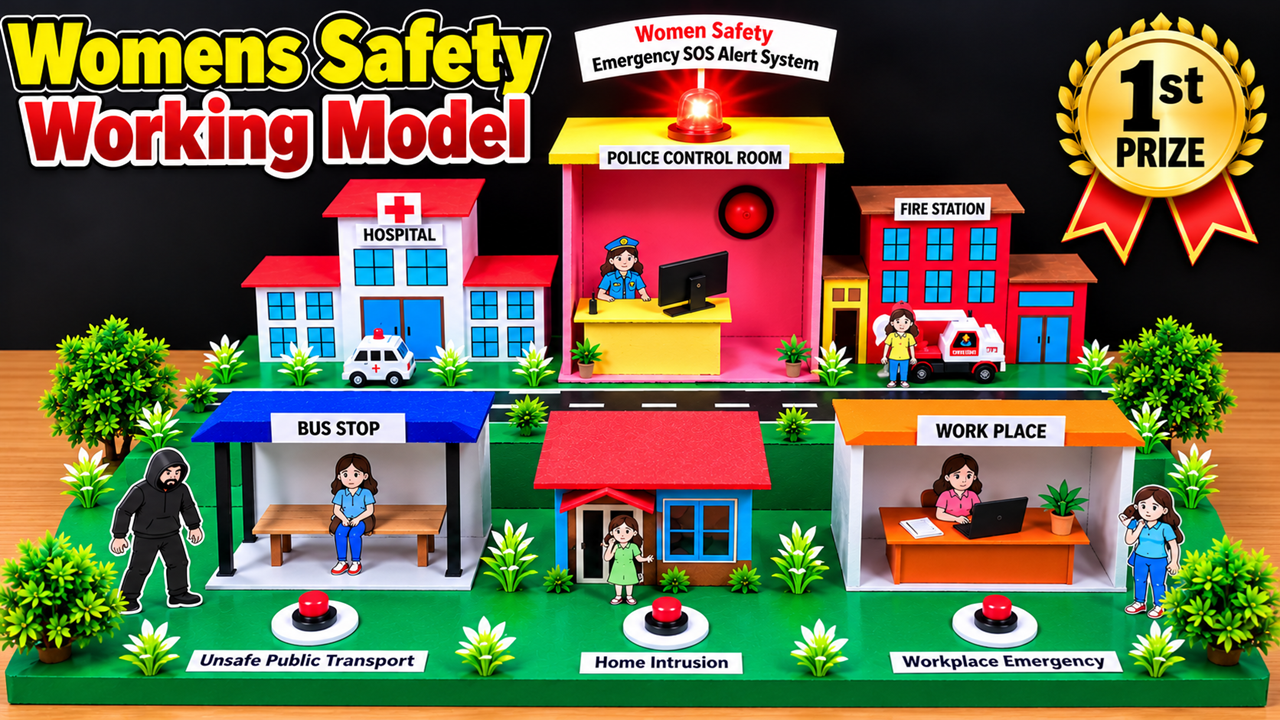
Today, I am presenting my science project, “Women’s Safety Working Model – Emergency SOS Alert System.”
Women’s safety is an important social issue. Women may face emergencies while travelling on public transport, walking alone, at home, or at the workplace. During such situations, getting help quickly can make a significant difference.
My model demonstrates a smart safety system in which an emergency SOS button can be used to send an alert to a monitoring centre. The model also shows how police, hospitals, and fire stations can support emergency response. The aim is to demonstrate how technology and public awareness can help create safer communities for women.
2. Aim of the Project
The main objectives of this project are:
- To demonstrate an emergency SOS alert system.
- To explain how an alert can reach a monitoring centre.
- To show how emergency services can coordinate to provide assistance.
- To identify potential safety concerns in public transport, homes, and workplaces.
- To promote awareness, preparedness, and the responsible use of technology.
3. Materials Required
The following materials can be used to construct the model:
- Cardboard sheets for the base and buildings.
- Coloured chart paper or foam sheets.
- Glue, scissors, ruler, and markers.
- Small cardboard boxes for the police control room, hospital, fire station, bus stop, home, and workplace.
- Miniature people, vehicles, trees, and plants.
- Push buttons for emergency SOS demonstrations.
- LEDs for visual alerts.
- A buzzer for an audible alert.
- Connecting wires and a suitable low-voltage battery.
- Optional Arduino or another controller, depending on the circuit design.
- Labels for each building and emergency location.
4. Making Process
Step 1: Prepare the base
Take a thick cardboard sheet and cut it into a rectangular shape. Cover the surface with green chart paper to represent land. Draw roads and mark different locations for the bus stop, home, workplace, police control room, hospital, and fire station.
Step 2: Build the police control room
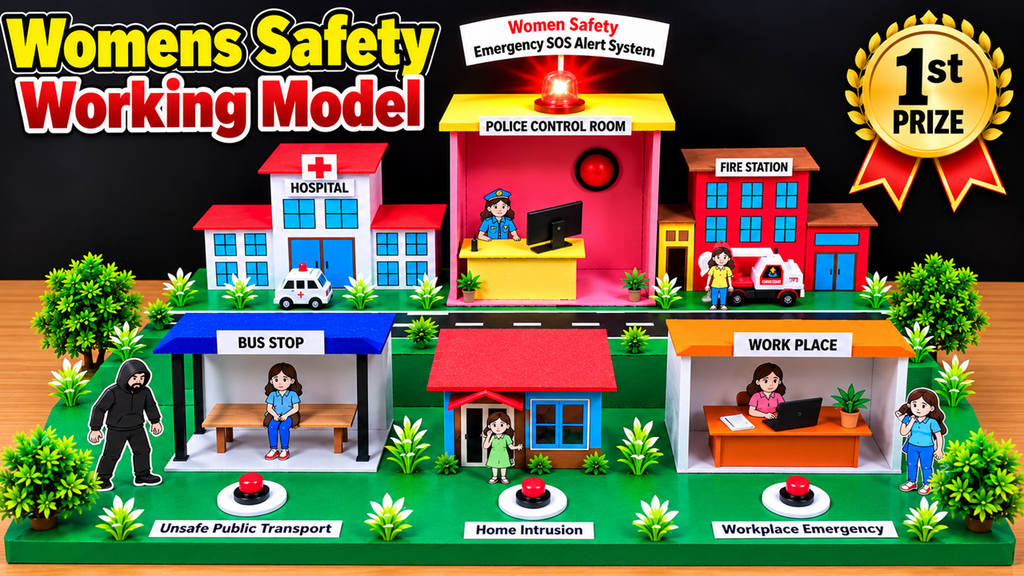
Use cardboard to create a larger building in the centre of the model. Cover it with pink or another bright colour. Add a desk, a miniature computer, and a police officer figure. Attach a label reading “Police Control Room.” Place a red LED or small indicator light on top to represent an emergency alert.
Step 3: Construct the hospital
Make a hospital using white cardboard and add a red cross symbol. Create windows, doors, and a hospital sign. Place a miniature ambulance outside to represent medical assistance during emergencies.
Step 4: Construct the fire station
Build a small fire station using coloured cardboard. Add windows, doors, and a signboard. Place a miniature emergency vehicle nearby. Explain that fire and rescue services may be needed in situations involving fires or other emergencies.
Step 5: Create the bus stop
Make a bus shelter using cardboard strips and a coloured roof. Add a bench and a miniature passenger. Place a labelled SOS button in front of the bus stop to demonstrate how a person could request help in an unsafe situation.
Step 6: Make the home and workplace
Create a small house using cardboard, with a roof, windows, and a door. Beside it, construct a workplace with a desk, chair, computer, and miniature worker. Add separate emergency buttons to demonstrate how an alert could be initiated from different locations.
Step 7: Connect the SOS alert circuit
For a basic electronic demonstration, connect a push button to a suitable low-voltage circuit. The button can activate an LED and buzzer. For a more advanced model, a microcontroller can be programmed to identify which button was pressed and activate the corresponding indicator.
If the model includes wireless messaging, it can be designed to send an alert to a designated receiver. This requires suitable communication hardware and programming; a simple button, LED, and buzzer alone do not send alerts to real emergency services.
Step 8: Add labels and decorations
Place labels such as “Emergency SOS Alert System,” “Police Control Room,” “Hospital,” “Fire Station,” “Bus Stop,” “Home Intrusion,” and “Workplace Emergency.” Add trees, plants, roads, and miniature figures to make the model realistic and easy to understand.
5. Working Principle
The working principle of this model is based on emergency alert activation and coordinated assistance.
When a person faces an emergency, they can press the SOS button represented in the model. In the basic demonstration, pressing the button activates a light and buzzer. These indicate that an emergency signal has been triggered.
In an advanced version, a controller can identify the activated button and transmit an alert to a designated monitoring device. The alert may include information such as the location and type of emergency, provided the system has the necessary hardware and permissions.
The monitoring centre can then assess the situation and contact the appropriate emergency service. Police may respond to security threats, hospitals may provide medical assistance, and fire or rescue services may respond when needed.
The model illustrates the process from alert activation to emergency response. It is an educational demonstration rather than a complete operational emergency service.
6. Demonstration at the Exhibition
During the exhibition, I will demonstrate three situations.
First: Unsafe public transport. I will press the SOS button near the bus stop. The indicator light and buzzer will activate, representing an emergency alert.
Second: Home intrusion. I will press the emergency button near the house. The alert indicator will demonstrate how a safety system could notify a designated monitoring centre.
Third: Workplace emergency. I will activate the button near the workplace. The signal will represent a request for assistance from someone facing an emergency at work.
I will then explain how an operational system could notify the appropriate responders. For safety and privacy, this demonstration will use simulated alerts and will not contact real emergency services.
7. Advantages and Applications
This project demonstrates several important benefits:
- Shows how SOS buttons can initiate emergency alerts.
- Explains the role of technology in personal safety.
- Demonstrates the possible coordination of emergency services.
- Encourages awareness of safety concerns in public and private spaces.
- Introduces students to electronic circuits and controllers.
- Can be adapted to demonstrate safety systems in schools, colleges, offices, public transport, and residential communities.
For real-world use, the system would require reliable communication, location information where appropriate, privacy protection, backup power, testing, and a clearly defined response procedure.
8. Conclusion
To conclude, my Women’s Safety Working Model demonstrates how an emergency SOS alert system can help communicate a request for assistance. It combines the ideas of electronic alerts, monitoring centres, and coordinated emergency services.
Technology alone cannot eliminate every safety risk, but it can support awareness, communication, and faster access to help when properly designed and maintained.
My message is: “Every Woman Deserves Safety, Every Emergency Deserves Attention, and Every Community Has a Role in Protecting Women.”
Thank you, everyone!
HowToFunda – Learn, Create, and Innovate!