
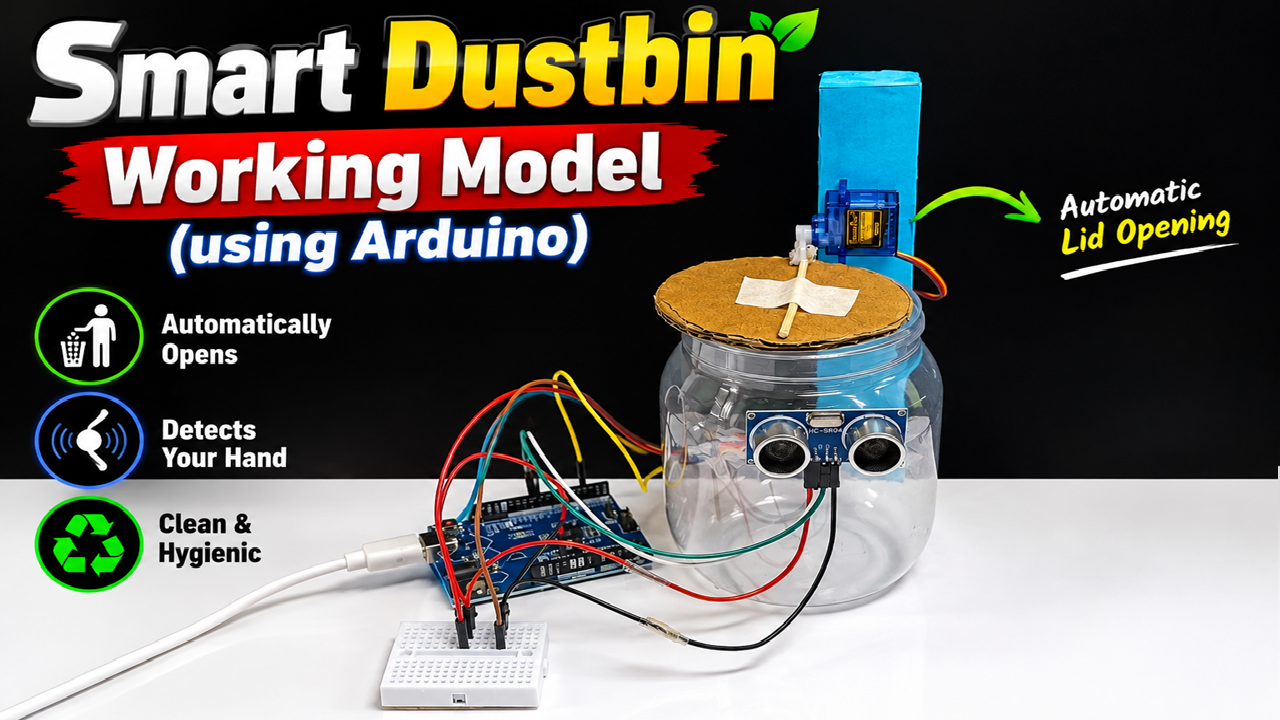
The Smart Dustbin Working Model Using Arduino is an innovative and practical science exhibition project that demonstrates how simple electronics and automation can be used to improve cleanliness and hygiene. The model shown uses an Arduino Uno, HC-SR04 ultrasonic sensor, SG90 servo motor, breadboard, jumper wires, and a dustbin made from a transparent plastic container and cardboard.
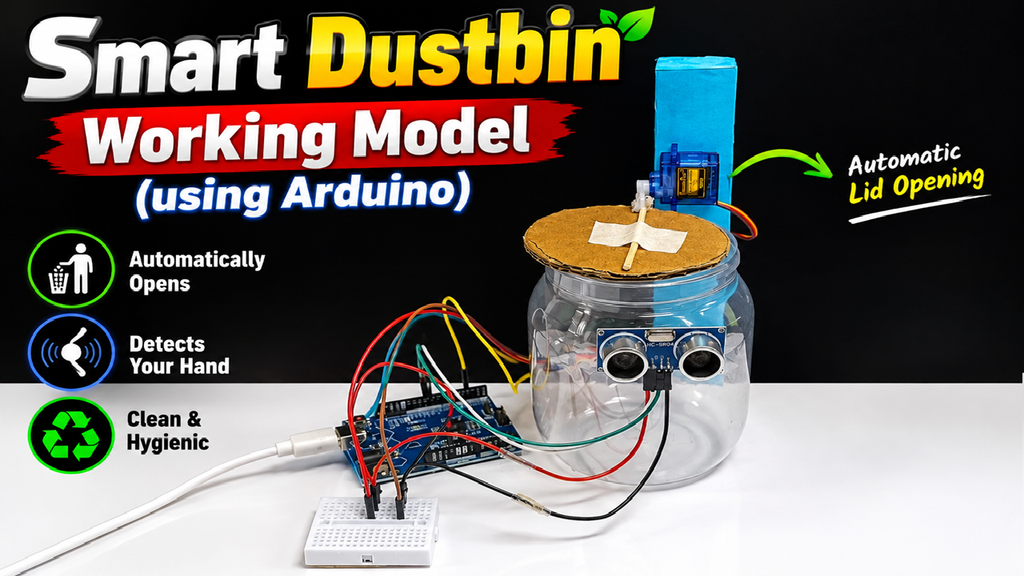
The main feature of this project is that the dustbin lid opens automatically when a person’s hand comes close to it. The user does not need to touch the lid. After a short period, the servo motor can return the lid to its closed position. This makes the dustbin a good example of touch-free automation.
1. Aim of the Project
The main aim of this project is to design a smart and touch-free dustbin using Arduino.
The project demonstrates how a sensor can detect an object and how a microcontroller can process that information to control a motor.
The main objectives are:
- To detect a person’s hand automatically.
- To open the dustbin lid without touching it.
- To close the lid automatically after use.
- To reduce direct contact with the dustbin.
- To demonstrate Arduino-based automation.
- To encourage proper waste disposal.
This project is suitable for school science exhibitions, STEM projects, electronics demonstrations, and practical examinations.
2. Materials Required
The following materials can be used to make the model:
Electronic components
- Arduino Uno
- HC-SR04 ultrasonic sensor
- SG90 servo motor
- Breadboard
- Jumper wires
- USB cable
- 5V power supply or suitable battery arrangement
Model-making materials
- Transparent plastic container
- Cardboard
- Colour paper
- Glue or Fevicol
- Double-sided tape
- Scissors
- Cutter
- Ice-cream sticks or thin wooden sticks
- White paper for decoration
The transparent container is useful because it allows viewers to see the internal arrangement and makes the project more attractive during an exhibition.
3. Making the Dustbin
First, select a suitable plastic container to represent the dustbin.
A transparent container can be used so that the working mechanism remains visible.
For the lid, cut a circular or rectangular piece of cardboard according to the shape of the container. Cover it with brown or coloured paper to give it a neat appearance.
The lid should be lightweight because the small SG90 servo motor needs to move it easily.
A small stick can be attached between the servo horn and the lid. When the servo rotates, this linkage lifts the lid.
4. Mounting the Servo Motor
The SG90 servo motor is fixed near the top of the dustbin.
A cardboard support can be constructed behind the container to hold the servo firmly.
The servo horn is connected to the lid using a small stick or linkage.
When the servo rotates in one direction, it pulls or pushes the linkage and opens the lid.
When it rotates back, the lid returns to its closed position.
The lid should move freely without excessive weight or friction.
5. Installing the Ultrasonic Sensor
The HC-SR04 ultrasonic sensor is mounted on the front of the dustbin.
It has four important pins:
- VCC
- TRIG
- ECHO
- GND
The sensor sends ultrasonic waves toward the object in front of it. When the waves hit an object, they are reflected back toward the sensor.
The Arduino measures the time taken for the signal to return and calculates the approximate distance.
When a person’s hand comes within the programmed distance, the Arduino recognizes that an object is close and activates the servo motor.
6. Arduino Control
The Arduino Uno acts as the brain of the project.
It receives information from the ultrasonic sensor and decides what action should be taken.
In this model, the sensor connections can be configured as:
- HC-SR04 TRIG → Arduino D9
- HC-SR04 ECHO → Arduino D10
- Servo signal → Arduino D3
- HC-SR04 VCC → 5V
- HC-SR04 GND → GND
- Servo VCC → 5V
- Servo GND → GND
All components should have a common ground.
The Arduino program continuously checks the distance measured by the ultrasonic sensor.
7. Working Principle
The working principle is based on ultrasonic distance measurement and servo motor control.
The process can be explained as:
Hand detected → Distance measured → Arduino processes signal → Servo rotates → Lid opens
First, the Arduino sends a trigger signal to the HC-SR04 sensor.
The sensor emits ultrasonic waves.
These waves travel through the air and reflect from an object such as a person’s hand.
The sensor receives the reflected signal.
The Arduino calculates the distance between the sensor and the hand.
If the measured distance is below the programmed threshold, the Arduino commands the servo motor to rotate.
The servo moves the lid into the open position.
After a short delay, the Arduino commands the servo to return to its original position, closing the lid.
8. Why Use an Ultrasonic Sensor?
The ultrasonic sensor is useful because it can detect an object without physical contact.
Unlike a push button or mechanical switch, the user does not have to touch the dustbin.
The HC-SR04 is also inexpensive and easy to use with Arduino.
It is widely used in student projects involving:
- Distance measurement
- Automatic doors
- Parking systems
- Obstacle detection
- Smart dustbins
- Robot projects
- Water-level measurement
For this project, the sensor provides a simple way of detecting when someone wants to use the dustbin.
9. Role of the Servo Motor
The servo motor controls the movement of the lid.
A servo motor can rotate to a specific position based on the control signal received from the Arduino.
For example, the program can command the servo to:
0° → Lid closed
and
90° → Lid open
The exact angles depend on the mechanical arrangement of the lid.
The SG90 is suitable for a small cardboard or lightweight plastic lid because it is compact and easy to control.
10. Arduino Programming
The Arduino program follows a simple logic.
First, the sensor measures the distance.
If the distance is greater than the selected threshold, the dustbin remains closed.
If a hand comes close enough, the Arduino detects the change in distance.
It then moves the servo to the open position.
The program waits for a short period so the user can throw the waste into the dustbin.
The servo then moves back and closes the lid.
The process repeats continuously.
Therefore, the system can operate automatically without the user manually controlling the lid.
#include <Servo.h>

Servo lidServo;

const int trigPin = 9;
const int echoPin = 10;
const int servoPin = 3;

long duration;
int distance;

void setup() {
  pinMode(trigPin, OUTPUT);
  pinMode(echoPin, INPUT);

  lidServo.attach(servoPin);
  lidServo.write(0);   // Lid closed

  Serial.begin(9600);
}

void loop() {

  // Send ultrasonic pulse
  digitalWrite(trigPin, LOW);
  delayMicroseconds(2);

  digitalWrite(trigPin, HIGH);
  delayMicroseconds(10);
  digitalWrite(trigPin, LOW);

  // Read echo
  duration = pulseIn(echoPin, HIGH);

  // Calculate distance in cm
  distance = duration * 0.034 / 2;

  Serial.print("Distance: ");
  Serial.print(distance);
  Serial.println(" cm");

  // If hand is detected within 15 cm
  if (distance > 0 && distance < 15) {

    lidServo.write(90);    // Open lid
    delay(3000);           // Keep open for 3 seconds

    lidServo.write(0);     // Close lid
  }

  delay(200);
}
11. Touch-Free and Hygienic Operation
One of the main advantages of the smart dustbin is touch-free operation.
Traditional dustbins may require the user to touch the lid.
A smart dustbin eliminates this step.
The user simply brings their hand close to the sensor.
The lid opens automatically.
After disposing of the waste, the lid closes again.
This can help reduce unnecessary contact with frequently touched surfaces and can make waste disposal more convenient.
12. Making the Model Attractive
For a science exhibition, presentation is important.
The cardboard frame can be covered with bright blue paper.
The dustbin can remain transparent so that the sensor and internal mechanism are clearly visible.
The Arduino and breadboard should be positioned neatly beside the dustbin.
Wires should be arranged carefully rather than left tangled.
Useful labels can be added:
- SMART DUSTBIN
- HC-SR04 ULTRASONIC SENSOR
- ARDUINO UNO
- SG90 SERVO MOTOR
- AUTOMATIC LID OPENING
- TOUCH-FREE WASTE DISPOSAL
A clean layout makes it easier for visitors and judges to understand the project.
13. Demonstration Procedure
During the exhibition, switch ON the Arduino using the USB power supply or an appropriate power source.
Keep your hand away from the ultrasonic sensor.
The dustbin lid remains closed.
Now slowly bring your hand toward the sensor.
When your hand enters the programmed detection range, the sensor detects it.
The Arduino processes the distance information.
The servo motor rotates.
The cardboard lid opens automatically.
Pretend to throw waste into the dustbin.
After the programmed delay, the servo returns to its original position and the lid closes.
The demonstration can then be repeated.
14. Advantages of the Smart Dustbin
1. Touch-free operation
The lid can be opened without touching it.
2. Improved convenience
Users can dispose of waste easily.
3. Educational
The project teaches Arduino programming, sensors, distance measurement, and motor control.
4. Low-cost
The basic components are affordable and widely available.
5. Reusable concept
The same technology can be used in automatic doors and other touch-free systems.
6. Attractive science project
The moving lid provides a clear working demonstration.
15. Limitations
The ultrasonic sensor may sometimes detect objects other than the user’s hand if they are within its sensing range.
The servo motor also has a limited load capacity. Therefore, the dustbin lid should be lightweight.
The Arduino and electronic components should be protected from water and excessive moisture.
For a larger real-world dustbin, a stronger servo or geared motor and a more robust mechanical mechanism may be required.
16. Future Improvements
The project can be further developed by adding additional smart features.
A fill-level sensor could detect when the dustbin becomes full.
An LED indicator could show:
- Green – Empty
- Yellow – Partially filled
- Red – Full
A buzzer could provide an alert when the bin reaches its capacity.
A second sensor could be added to improve fill-level detection.
The project could also be upgraded using IoT technology to send a notification when the dustbin needs to be emptied.
Solar power could also be explored for outdoor versions.
17. Simple Explanation for Practical Examination
You can explain the project in these words:
“This is a Smart Dustbin Working Model using Arduino. The main components are Arduino Uno, HC-SR04 ultrasonic sensor, SG90 servo motor, breadboard and jumper wires. The ultrasonic sensor detects the presence of a person’s hand by measuring distance. In our circuit, the TRIG pin is connected to Arduino pin 9, the ECHO pin is connected to pin 10, and the servo signal is connected to pin 3. When a hand comes within the programmed distance, the sensor sends information to the Arduino. The Arduino processes the information and commands the servo motor to rotate. The servo lifts the dustbin lid automatically. After a short delay, the servo returns to its original position and the lid closes. This makes the dustbin touch-free, convenient and more hygienic. The project demonstrates the practical use of sensors, microcontrollers and servo motors in automation.”
18. Conclusion
The Smart Dustbin Using Arduino is a simple but effective example of how technology can be used to solve an everyday problem.
The HC-SR04 ultrasonic sensor detects the user’s hand, the Arduino Uno processes the sensor information, and the SG90 servo motor controls the dustbin lid.
The complete process can be summarized as:
Hand → Ultrasonic Sensor → Arduino → Servo Motor → Automatic Lid Opening
This project combines electronics, programming, mechanical design, and environmental awareness in one working model. It encourages students to think about practical problems and develop simple technological solutions.
The project also promotes the idea of proper waste disposal. By making the dustbin automatic and touch-free, it demonstrates how small innovations can improve convenience and encourage cleaner, more hygienic surroundings.